


Connect Google Ads to Claude
Use Claude from Anthropic with your real Google Ads data — without exports, spreadsheets, or code. AdHelp.io connects Google Ads to Claude, cleans and maps your metrics, and keeps everything updated daily so Claude can deliver reliable analysis, reporting, and optimization recommendations.
Trusted by leading brands







Why use AdHelp.io to connect Google Ads to Claude?
Most “Google Ads + AI” workflows break because the data is messy or inconsistent. AdHelp.io solves the hard part: making your Google Ads data AI-ready.
Clean & map Google Ads data so Claude understands it
AdHelp.io automatically cleans, standardizes, and maps your Google Ads data into a consistent structure Claude can analyze correctly.
That means Claude can reliably answer questions across:
-
Campaigns, ad groups, keywords, search terms
-
Conversions, CPA, ROAS, revenue (if available), assisted metrics
-
Time periods, comparisons, trend lines, pacing


Get daily updates from Claude
Your connected data is updated daily, so Claude isn’t working from last week’s spreadsheet. Perfect for weekly reporting, monthly business reviews, and ongoing optimization.
Easy no-code setup
No scripts, no pipelines, no complicated configuration.
Connect Google Ads → Connect Claude from Anthropic → Start asking questions.


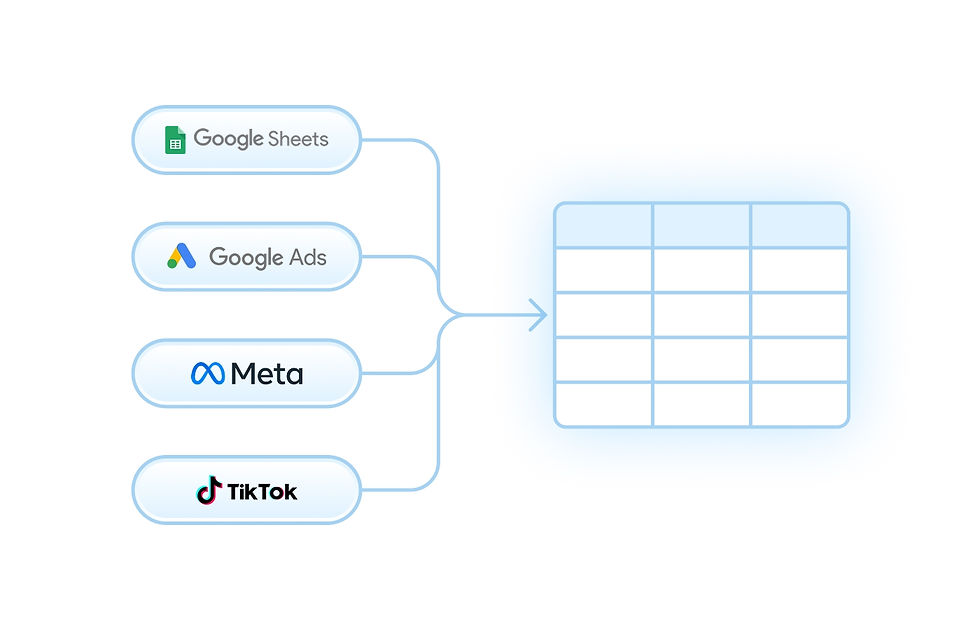
Map Google Ads data with other platforms
AdHelp.io lets you combine Google Ads with other ad platforms so Claude can answer cross-channel questions like “Where should we shift budget this week?”
Common merges include:
-
Meta Ads
-
TikTok Ads
-
Pinterest Ads
-
Snapchat Ads
-
Microsoft Ads (Bing)
What you can do when Google Ads is connected to Claude
Ask Claude for instant performance explanations
-
“Why did conversions drop last week vs the previous week?”
-
“What changed: CPC, CTR, conversion rate, or impression share?”
-
“Which campaigns are responsible for the biggest variance?”
Build AI-powered Google Ads reporting (in minutes)
-
Weekly summaries (wins, losses, priorities)
-
Monthly executive reports (clear narrative + actions)
-
Account audits for stakeholders, founders, or clients
Find wasted spend and optimization opportunities
-
Search terms with high spend and no conversions
-
Keywords with poor intent or match-type issues
-
Campaigns limited by budget vs those that should be capped
High-impact use cases
Brand vs non-brand analysis in Google Ads
Claude can compare brand vs non-brand performance to help you understand whether growth is coming from true demand generation or just branded capture.
Questions to ask:
-
“Compare brand vs non-brand CPA, ROAS, and conversion volume (last 30 days).”
-
“Is brand taking more budget over time, and what’s the impact on total growth?”
-
“Which non-brand themes drive efficient conversions, and which waste spend?”
Insights you can uncover:
-
Budget share by brand vs non-brand
-
Efficiency gaps (CPA / ROAS / CVR)
-
Over-reliance on branded traffic
-
Generic keyword themes worth scaling
Pattern detection (day-of-month trends, pacing, anomalies)
Claude can find patterns like:
-
CPA spikes at month-end
-
Early-month overspend vs late-month underdelivery
-
Conversion rate changes in specific periods
-
Performance volatility that correlates with pacing
Questions to ask:
-
“Do we convert better in the first half vs second half of the month?”
-
“Is CPA worse in the last 5 days of each month?”
-
“Show day-of-month patterns for conversions, CPA, and ROAS.”
Check if your agency is actively managing your account
If you work with an agency (or an internal team), you can use Claude to validate account activity and optimization frequency.
Questions to ask:
-
“Have there been meaningful changes in the last 14 days?”
-
“Summarize optimization actions taken this month.”
-
“Is performance changing without corresponding optimizations?”
How it works

Step 1 — Connect your Google Ads account
Authenticate securely and choose which accounts you want to use.
Step 2 — Setup a Data Flow in AdHelp.io
Map, filter, and clean your data from Google Ads.

Step 3 — Create an MCP in AdHelp.io and connect to Claude
Create an MCP and share the URL and Access token with Claude and you are all set up!

Example prompts to copy/paste into Claude
Performance diagnostics
-
“Explain the biggest drivers behind CPA change (last 7 days vs prior 7).”
-
“Which campaigns caused the conversion drop and why?”
-
“Show me where we lost impression share and the cost impact.”
Growth & budget decisions
-
“If we move 15% of budget, where should it go for best marginal CPA?”
-
“Which campaigns are limited by budget and have the best efficiency?”
-
“What’s the best path to scale conversions without ruining CPA?”
Efficiency cleanup
-
“List search terms with spend > X and zero conversions.”
-
“Suggest negative keywords based on irrelevant search themes.”
-
“Which keywords have high CPC and low conversion rate?”
Brand vs non-brand
-
“Split performance into brand vs non-brand and summarize efficiency.”
-
“Is non-brand improving or declining over the last 90 days?”
-
“Which non-brand themes should we scale?”
Google Ads to Claude integration
If you’re searching for:
-
Google Ads Claude integration
-
Connect Google Ads to Claude
-
Claude for Google Ads analysis
-
Anthropic Google Ads reporting
-
AI reporting for Google Ads
-
brand vs non-brand Google Ads analysis
-
Google Ads pacing analysis day of month
AdHelp.io is a no-code way to connect Google Ads data to Claude with clean mapping, daily updates, and cross-platform merging.

Frequently Asked Questions
Use AdHelp.io to connect Google Ads and Claude from Anthropic. AdHelp.io structures your Google Ads data so Claude can analyze it reliably. No-code setup, daily updates.
Manual exports are slow, inconsistent, and outdated immediately. AdHelp.io provides clean + mapped data that updates daily, so Claude can answer with confidence.
Claude provides analysis and recommendations. You stay in control of changes inside Google Ads.
Yes — this is ideal for agencies, multi-brand companies, and teams managing multiple accounts.
Yes. AdHelp.io supports merging across ad platforms so Claude can do cross-channel analysis and budget allocation guidance.
Under the hood, AdHelp.io uses structured context methods to make data AI-ready. For marketers, it’s simply: Connect Google Ads → Connect Claude → Ask questions.